

Can my assistant update chamber hours without a developer?
Yes, if that content type and authorized editing role are included in the dashboard implementation.
Update your chamber notices, professional information and educational content without depending on a developer for every small change.
Dr RankUp designs content management and authorized dashboard workflows for doctor websites in Bangladesh. We help practices manage the public information they actually need to change, while protecting structural website settings and sensitive patient systems from casual edits.
This is a website-content dashboard service, not a patient medical record, booking or clinical administration platform.

A chamber changes its evening hours, but the website still shows last month's schedule. A doctor wants to publish an article, yet must send text to a developer. Different assistants update different profiles and important details become inconsistent.

Routine updates become difficult when:
A practical dashboard should make approved edits simple while limiting what each person can change.
Faster routine publishing:Update approved notices, hours and contact details from a controlled interface.
Consistent public facts:Maintain chamber entries and profile sections without copying content into many pages.
Safer delegation:Give authorized assistants limited roles rather than unrestricted administrator access.
Clear content approval:Keep draft, review and publication steps for clinically sensitive articles.
Better media organization:Attach appropriate images and videos without leaving broken or duplicated files.
Stable search foundations:Protect canonical settings, page templates and structured-data relationships from accidental changes.
Features are chosen according to the practice's content responsibilities, not a generic dashboard checklist.
A doctor may work between a hospital and several private chambers while an assistant handles notices and another person manages articles. Public updates must remain accurate even when those people work at different times.
A practical sequence is: authorized staff sign in → select a chamber notice or article → edit the permitted fields → request approval if required → publish → verify the public page.
Simple mobile forms, clear status labels and a low-training editorial workflow can help teams without a dedicated website administrator.

A draft that mentions a medical procedure or treatment may influence patients. The editorial approval process should route clinically significant material to the appropriate medical professional before it becomes public.

User permissions must distinguish harmless contact updates from credential edits and clinical claims. The website should not let an assistant invent qualifications, expose patient details or publish unsupported superiority statements.
We also plan how deleted pages, outdated notices and image permissions are handled. Access to website content does not imply authorization to see clinical records.

Sirajul Islam, Co-Founder, contributes full-stack application, database and secure-access experience. A content management system (CMS) stores reusable website content in organized fields so authorized users can update it without changing the underlying design.
List chamber notices, schedules, profiles, articles, videos, FAQs and contact changes staff regularly manage.
Separate doctor, chamber, notice and educational details so one update does not create conflicting information.
Specify which staff may draft, edit, approve and publish each type of content.
Design simple forms, media choices, previews and error messages that staff can understand.
Put approved changes on the intended pages without changing their established layout.
Test wrong chambers, invalid content, simultaneous edits, revoked access and supported recovery.
Document update owners, review requirements and work that remains outside the dashboard.
| Editable area | Recommended control |
|---|---|
| Chamber times and notices | Authorized chamber editor and visible update review |
| Biography and qualifications | Verified source plus doctor or designated approval |
| Educational articles and videos | Draft, clinical review where needed, then publish |
| Canonicals, schema and templates | Restricted technical ownership, not casual content editing |
The result should be an interface that reflects responsibilities, not a collection of every possible administration feature.
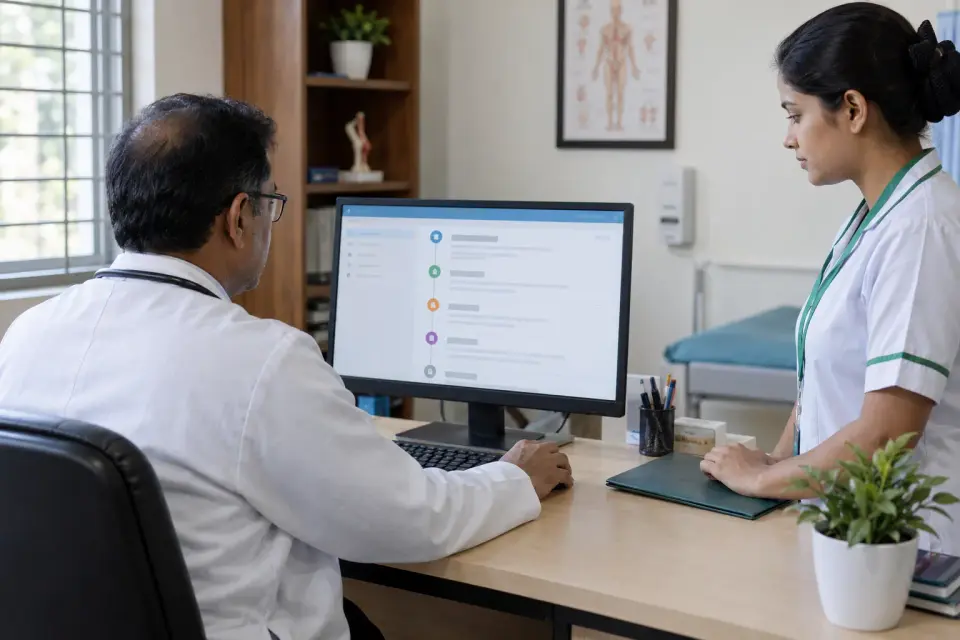



It is valuable when a website already works but routine changes are slow or fragmented, or when multiple authorized team members regularly maintain public information.
For a small static profile with rare updates, a simpler maintenance agreement may be more economical than custom dashboard development.


Imagine a doctor with two chambers and one notice editor. A well-defined content model would identify the intended chamber, preview the public update and preserve an edit trail where supported.
This is a hypothetical implementation example, not a claimed incident or Dr RankUp client result.
We can review publishing errors, time spent on routine changes, rejected edits, staff access accuracy and completion of update training. A change log can show which authorized user updated important information.

We do not invent productivity gains or claim complete protection from human error. Backup, recovery and security claims require actual tests.
Practical daily edits: We focus on chamber hours, articles and other real website updates instead of unnecessary dashboard features.
Clear approval roles: Staff get suitable access while doctors retain control of clinical information and important public details.
A dependable website: Structured content and controlled settings help the site stay readable and professional as information changes.
Yes, if that content type and authorized editing role are included in the dashboard implementation.
No. A website dashboard manages public site content. Patient medical records are confidential clinical information requiring different controls.
Yes, an editorial review and approval step can be designed where the site's content workflow requires it.
We can restrict access to technical settings such as canonical URLs and structured-data templates according to the agreed roles.
A responsive editing interface can be planned and tested, depending on the specific platform and agreed functions.
Not always. We compare an existing CMS, limited editor tools and custom development against your actual update needs.
The best content dashboard makes common updates practical while keeping important medical and technical decisions with the right people. Dr RankUp can scope a controlled editing workflow for your website.

Founder & SEO Consultant, Dr RankUP
Review Your Doctor Website Dashboard Needs