

What is patient medical record software?
It keeps patient profiles, visits, notes, prescriptions and reports connected in a searchable history for authorized clinical use.
Find the right patient history before the next consultation—not another lost file.
Dr RankUp helps doctors design patient medical record workflows that connect visits, notes, prescriptions and reports in one searchable history. We plan around Bangladesh chambers, authorized access and follow-up care without replacing clinical judgment.

A returning patient may bring an old prescription, show a report on a phone or visit a different chamber. Information may be scattered across paper, messages and systems.

A returning patient’s history can be hard to use when:
Useful records need the correct patient identity and visit context, not just another place to store files.
Faster context:View earlier visits, medicines and reports together before the next consultation.
Better continuity:Link follow-ups to the same patient while recording the chamber and visit date.
Clearer documentation:Keep clinical notes and uploaded documents attached to the appropriate encounter.
Fewer duplicates:Review possible patient matches before creating or merging records.
Controlled access:Let assistants perform their tasks without unrestricted clinical visibility.
Traceable changes:Preserve important corrections rather than silently rewriting history.
Results depend on the agreed implementation.
Patients change phone numbers, bring paper reports or use different name spellings. A practical journey is:
Find patient → Confirm identity → Review previous visits → Record today's encounter → Attach relevant reports → Preserve follow-up history.
Records should show each chamber without splitting one patient into two identities. Shared access across separate practices requires a real authorization and privacy model, not an automatic promise of universal data sharing.

Medical history is sensitive. Role-based access limits what doctors, assistants and reception staff can see or change; an audit trail makes important actions traceable. Both address exposure and unexplained edits.

Protect reports, exports, account access and backups. Define consent, retention, correction and patient requests before launch. A system may organize clinical information, but only qualified professionals make clinical assessments. Telemedicine encounters require additional identity, consent and record review where applicable.

Sirajul Islam, Co-Founder, brings full-stack software architecture, database design, access control and workflow engineering expertise to Dr RankUp. His role is technical, not clinical.
Review registration, return visits, files, assistants and chambers to define useful views and access.
Patient search may compare names, contact details, age, record IDs and recent visits. Similar Bangla-English spellings can prompt human review; the system should never merge two people automatically.
Link notes to the correct patient, doctor, visit and date while allowing relevant clinical detail.
Attach reports and earlier prescriptions to the right visit, keeping files readable on weak networks.
Show a patient summary and timeline without crowding the doctor’s consultation view.
Set permissions, correction history and backups. Agree on offline limits before promising them.
Test identity, access and recovery with sample data. Bring old paper records across gradually.
| Chamber need | Record-design decision | Practical benefit |
|---|---|---|
| Returning patients | Visit timeline and previous-note preview | Find relevant history faster |
| Similar names | Duplicate warning and reviewed merge | Reduce wrong-record risk |
| Paper reports | Visit-linked PDF and image uploads | Keep supporting documents together |
| Multiple chambers | Location-tagged encounters and scoped access | Preserve continuity without mixing permissions |
| Unreliable connectivity | Defined fallback and recovery process | Avoid losing or silently overwriting work |
Scope should match clinical process and data responsibilities.



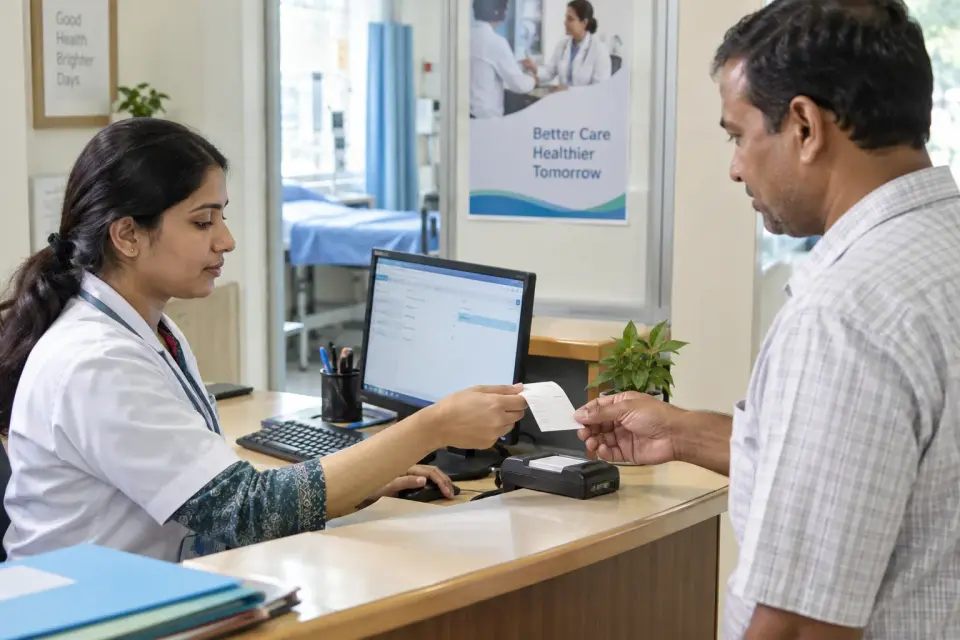
Choose this workflow when follow-up information is scattered, past reports are difficult to find, duplicate registrations are common or several chambers need an appropriately controlled patient timeline.
If booking is the main difficulty, start with Appointment Management. If the issue is prescription drafting, consider E-Prescription instead. Start with the current bottleneck.


Imagine a returning patient registered under slightly different English spellings at separate chambers. A search could flag possible matches using additional identifiers and visit context.
Staff would verify identity before linking records. This is an hypothetical process, not a verified Dr RankUp deployment or measured client outcome.
Define a baseline before implementation: time to find previous notes, duplicate-profile corrections, report retrieval, access-review findings and successful backup recovery tests.

Case studies need scope, timeframe and evidence. We do not promise specific time savings, error reductions or clinical outcomes without verified results.
Follow-up care first: We begin with the doctor’s real need to find the right patient and previous visit.
Careful access: Sirajul plans identity checks, staff permissions, documents and connections to approved modules.
Bangladesh practice fit: Paper files, name spellings, multiple chambers and connectivity shape a clear, testable scope.
It keeps patient profiles, visits, notes, prescriptions and reports connected in a searchable history for authorized clinical use.
No. E-Prescription handles prescription creation and finalization; patient medical records preserve wider clinical history across visits.
It can, if locations, user permissions and authorized data access are designed appropriately. Separate practices need explicit authorization.
Possible matches can be flagged using names and other identifiers. Authorized staff should confirm identity before any merge.
Yes, if document upload is included. Files should be attached to the correct patient and encounter with suitable access controls.
No. New visits can start first, while useful past records are added gradually when patients return.
Only within permissions; registration access does not grant unrestricted clinical access.
It depends on the tested design. Limited cached viewing or unsynced drafts may be possible, but offline capability must be verified before launch.
Give doctors a clearer history and staff a safer, more manageable record workflow. Discuss the chamber's identity, migration, privacy and connectivity needs before choosing implementation scope.

Founder & SEO Consultant, Dr RankUP
Review Your Patient Record Workflow