

What is Doctor Schedule Management?
It is a clinic workflow for maintaining visiting doctors' sessions, locations, working hours, leave and approved changes.
Know which doctor is visiting, at which clinic, and when patients can actually be seen.
Dr RankUp helps Bangladesh clinics plan Doctor Schedule Management around visiting consultants, regular sessions, leave, substitute cover and reception updates. We design the scheduling workflow to reflect the clinic's actual arrangements, not a generic calendar.

A clinic may host several specialists with different visiting hours. Reception, Facebook notices and booking staff may each have a different version of today's timetable.

Common problems include:
The real need is dependable availability rules and accountable updates.
Clear visiting hours:A shared doctor roster helps reception check who is expected before offering a visit.
Fewer avoidable conflicts:Overlap checks can flag sessions assigned to the same professional in incompatible places.
Consistent updates:A schedule exception records leave or a special session without destroying the normal weekly pattern.
Better capacity planning:Session limits help staff distinguish availability from the number of patients already booked.
Visible responsibility:Staff permissions can separate viewing hours from changing or approving them.
These changes support organisation. They do not guarantee shorter waiting times or a particular number of appointments.
In Dhaka, a clinic may offer morning diagnostics and visiting specialists in the evening. A doctor might practise in another clinic on Sunday, see patients here on Tuesday and return after a hospital shift on Thursday.
Typical journey: Clinic checks roster → confirms branch and session → shares valid visiting information → booking team uses it → staff handles changes.
A useful multi-branch schedule should account for regular off-days, religious or public holidays, unexpected duties and staff shifts.

A mistaken timetable can cause unnecessary travel and confusion, particularly when a patient has been told a specialist is attending. Public information should identify only real doctors, real affiliations and verified visiting arrangements.

Access controls prevent every receptionist from changing a consultant's session. Any affected patient booking must be reviewed through the appointment team, with privacy respected.
This is operational software, not medical triage. Clinic staff and registered clinicians remain responsible for their professional and clinical decisions.

Sirajul Islam, Co-Founder, brings full-stack software engineering, database design, cloud and DevOps experience to the planning of clinic software workflows.
Collect approved doctor lists, actual locations, weekly hours and reception responsibilities. Identify where staff currently find timetable information and which entries often change.
Agree on sessions, breaks, capacity and extra clinics. Allow different hours for different branches.
Show holidays, delays and leave. Flag overlapping sessions before staff publish new availability.
Define who may view, request, edit or approve changes. Role-based access helps prevent accidental edits while allowing authorised reception staff to respond quickly.
Send only confirmed availability to booking. Give existing appointment changes to the responsible team.
Test normal weeks, overlapping doctors, leave and late changes. Train staff on approvals and handovers.
| Real clinic situation | Suitable approach |
|---|---|
| Specialist visits on fixed weekdays | Recurring weekly sessions |
| Doctor covers several branches | Location-specific roster with overlap alerts |
| Walk-ins are accepted by session | Capacity-based availability, not forced minute slots |
| Hospital duties change unexpectedly | Approved exceptions and staff alerts |
A fixed fifteen-minute slot is not suitable for every practice. We confirm how each department operates before recommending any booking connection.


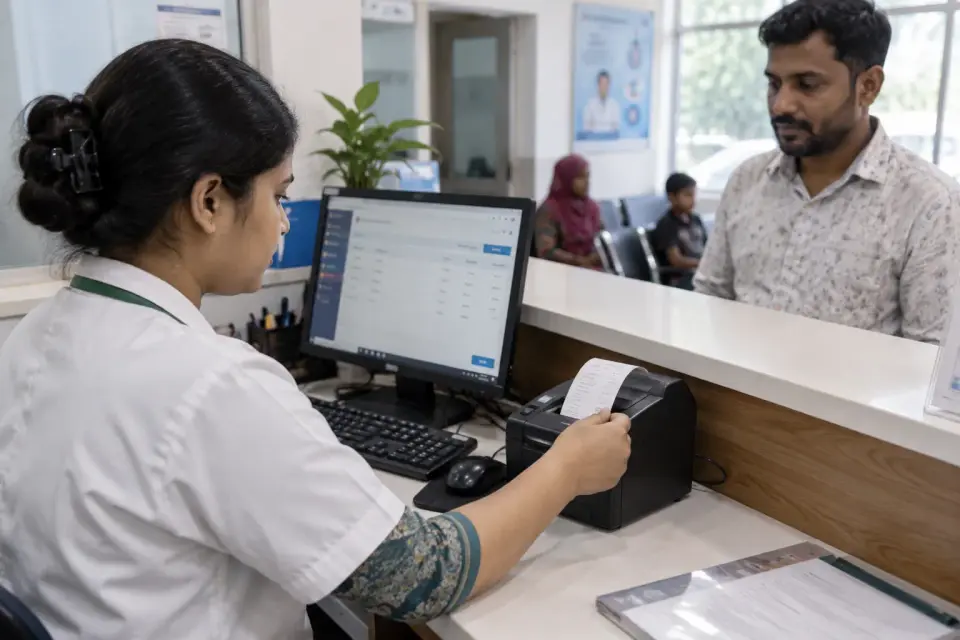

Start here if patients repeatedly receive outdated visiting times, managers coordinate doctors through scattered messages, or several branches accidentally publish conflicting sessions.
If the immediate problem is lost sample requests, start with Diagnostic Management. If visits are already correctly scheduled but the reception queue is disorganised, review appointment operations instead. Buying a larger system should follow a genuine process need.


Imagine a clinic expecting a cardiologist on Tuesday evening. Hospital duty delays arrival, while patients already have bookings and reception is preparing the waiting list.
An approved change request could identify the affected session, warn booking staff and publish the corrected availability after review. This is a hypothetical design scenario, not a documented Dr RankUp deployment or a promise that all patients will be reached automatically.
Before and after measurement could compare outdated timetable corrections, overlapping session incidents, unapproved edits and the time taken to notify reception.

Reports should identify the clinic, period, workflow scope and source records. A pilot checklist or acceptance-test record is useful proof of implementation work; it is not proof of clinical benefits or an invented case study.
Real visiting patterns: We start with how your consultants work across branches, duties and changing sessions.
Clear responsibilities: Staff can see who approves changes and keeps a record, while booking and payments remain separate tasks.
Useful for reception: The schedule can connect to bookings without adding unrelated features that make a busy desk harder to run.
It is a clinic workflow for maintaining visiting doctors' sessions, locations, working hours, leave and approved changes.
No. Scheduling determines when doctors are available; appointment management handles individual bookings, serials and patient status.
Yes, a scoped design can hold location-specific sessions and check for overlaps, subject to implementation.
Only within approved permissions. The clinic should decide who requests, edits and confirms important changes.
An approved schedule exception can close the affected session and alert the booking team to review existing appointments.
No. Session-based or capacity-based schedules may fit clinics that rely on walk-in patients.
They can, if a tested integration publishes approved availability without exposing staff-only information.
No. We can help organise scheduling and define measurements, but actual outcomes depend on staffing, communication and use.
Give reception, managers and booking staff one approved view of who is visiting and when. Dr RankUp can help scope the rules, permissions and connected workflows that match your clinic.

Founder & SEO Consultant, Dr RankUP
Review Your Clinic Doctor Schedules